
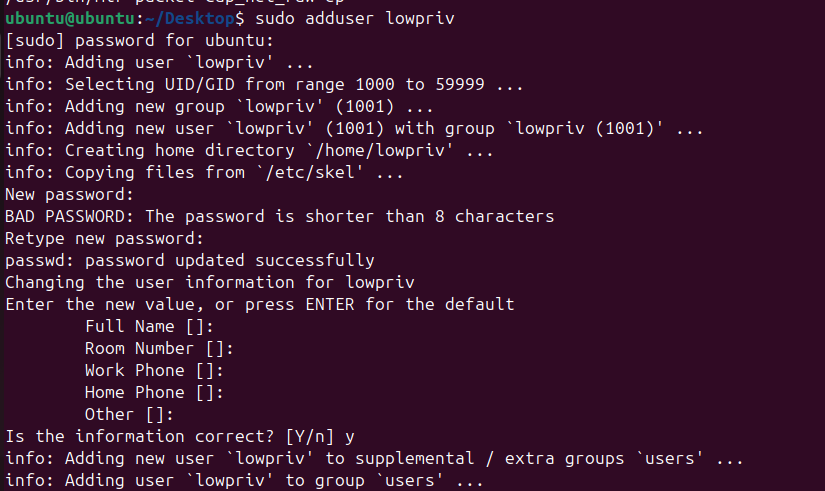
Before moving on, I went ahead and created the following default user on the Ubuntu box - lowpriv:lowpriv - an unprivileged user which will be used throughout many of the examples in this section.
Many of the examples throughout this chapter are intentionally straightforward. The goal is to demonstrate individual concepts in a way that is easy to understand and difficult to misinterpret.
In real-world environments, privilege escalation opportunities are often messier and require significantly more enumeration, research, experimentation, and possibly the chaining of several primitives into a single attack path.
However, do not assume that every successful privilege escalation is complex. Surprisingly simple misconfigurations are still encountered regularly during assessments.
The purpose of this chapter is to fundamentally understand each individual primitive so that, when the time comes, you will be able to combine them into more complex attacks.
Make sure to differentiate which adapter you've attached to the VM.
If you need to attach NAT, you can use the following Netplan configuration file (e.g. inside `/etc/netplan/):
network:
  version: 2
  renderer: NetworkManager
  ethernets:
    ens33:
      dhcp4: true
If you plan to use the private network we have created for our machines, then you can use:
network:
  version: 2
  renderer: NetworkManager
  ethernets:
    ens33:
      dhcp4: false
      addresses:
        - 10.10.10.10/24
You can use the following commands to change your network settings:
sudo netplan generate
sudo netplan apply