
The frontend is everything that executes inside the user's browser.
When a user visits a website, the web server sends content to the browser. The browser then interprets that content and renders the page the user sees.
The frontend is responsible for:
- Displaying information
- Handling user interaction
- Sending requests to backend systems
- Updating the page dynamically
The Three Core Technologies
Virtually every frontend application is built from three technologies:
| Technology | Purpose |
|---|---|
| HTML | Structure |
| CSS | Appearance |
| JavaScript | Logic |
Think of them as:
| Technology | Analogy |
|---|---|
| HTML | Skeleton |
| CSS | Skin & Clothing |
| JavaScript | Muscles & Brain |
HTML
HTML defines what exists on a page.
Example:
<h1>Welcome</h1>

<form>
    <input type="text">
    <button>Login</button>
</form>
HTML creates:
- Text
- Buttons
- Forms
- Tables
- Images
- Links
Without HTML there is no page structure.
CSS
CSS controls how things look.
Example:
button {
    background: blue;
    color: white;
}
CSS controls:
- Colors
- Fonts
- Layout
- Positioning
- Animations
CSS rarely creates security issues directly.
JavaScript
JavaScript provides functionality.
Example:
document
    .getElementById("login")
    .addEventListener("click", login);
JavaScript can:
- React to button clicks
- Modify page content
- Send API requests
- Process data
- Communicate with backend systems
Most modern web applications rely heavily on JavaScript.
What The Browser Receives
A browser usually receives:
- HTML
- CSS
- JavaScript
Example request:
GET /dashboard
The response may contain:
dashboard.htmlstyles.cssapp.js
The browser downloads all three and assembles the final page.
Single Page Applications (SPAs)
Many modern applications are Single Page Applications.
Examples:
- React
- Angular
- Vue
Instead of loading a completely new page for every action, JavaScript dynamically updates the current page.
This creates a much smoother user experience.
Frontend vs Backend
A common misconception is that the frontend "is the application."
In reality:
Frontend:
- Browser
- HTML
- CSS
- JavaScript
Backend:
- Application server
- Business logic
- Authentication
- Database access
Example:
User clicks "Login"
Frontend:
- Collects username/password
- Sends request
Backend:
- Validates credentials
- Creates session
- Returns result
Why Operators Care
Everything sent to the browser is visible to the user.
Attackers can inspect:
- HTML
- CSS
- JavaScript
- API calls
- Hidden fields
- Client-side logic
The browser should be treated as an untrusted environment.
If a secret is sent to the browser, assume the user can see it.
Developer Tools
Modern browsers include built-in developer tools.
Common tabs include:
| Tab | Purpose |
|---|---|
| Elements | View HTML |
| Network | View requests |
| Sources | View JavaScript |
| Storage | View cookies and local storage |
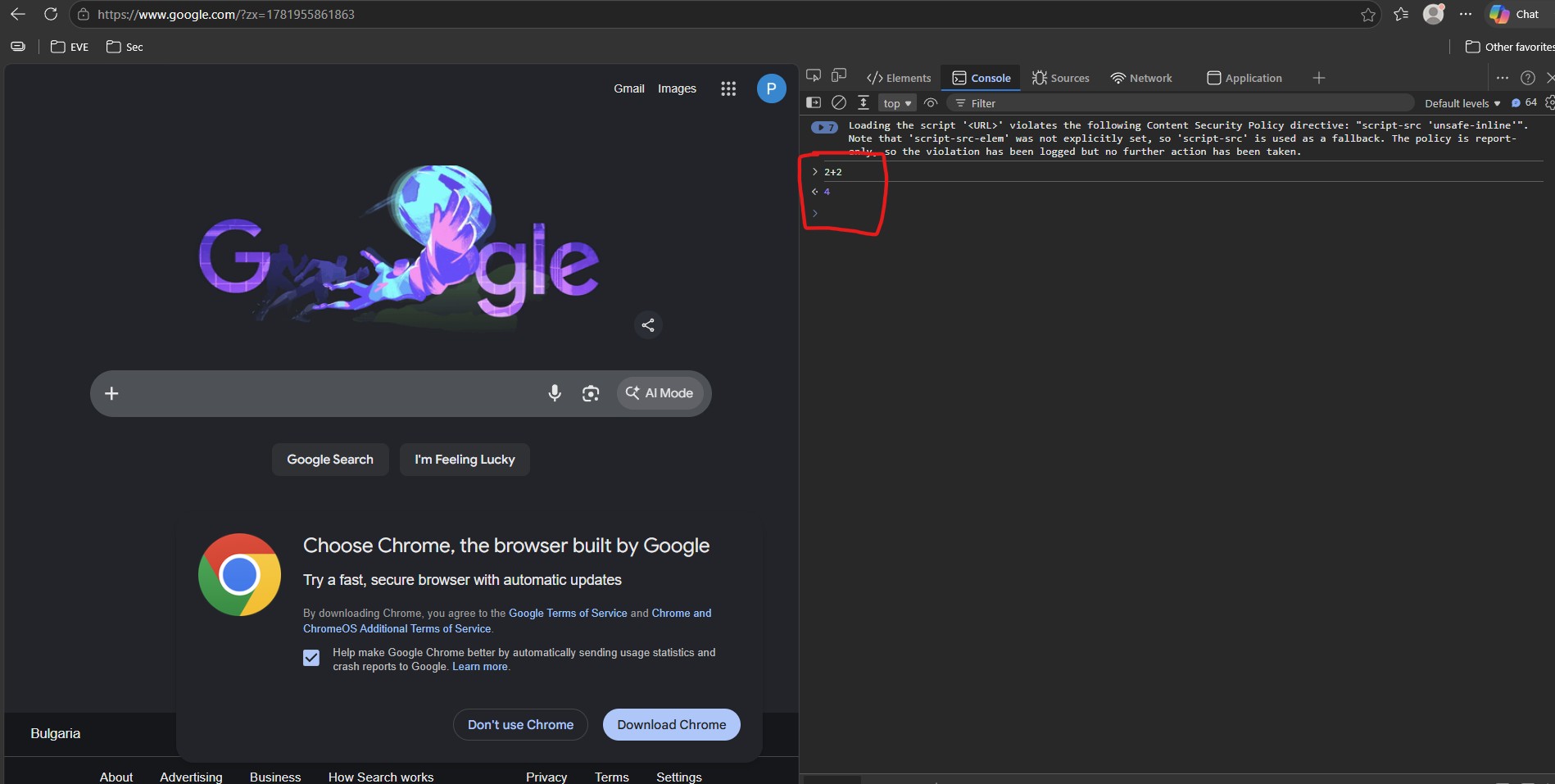
| Console | Execute JavaScript |
For operators, the Network tab is often one of the most valuable sources of information during web application assessments.
In the following screenshot, we can see that the Console directly executes JavaScript code inside the browser. For example, entering 2+2 causes the browser to evaluate the expression and return 4.
Key Principle
The frontend should never be trusted.
Client-side controls can be:
- Modified
- Bypassed
- Removed entirely
Security decisions should always be enforced by the backend.
If access control exists only in JavaScript, it does not truly exist.
We will explore this subject further once we get to attacking.