
Windows continuously records information about system activity.
Examples include:
- User Logons
- Process Creation
- Service Activity
- Software Installation
- Authentication Events
- Network Activity
This information is commonly referred to as:
Telemetry
Telemetry helps administrators, defenders, and investigators understand what occurred on a system. It is also crucial for offensive operators, when stealth and OPSEC are part of the operation.
Why This Matters
Many investigations depend on telemetry.
Examples include:
| Investigation Question | Telemetry Source |
|---|---|
| Who logged in? | Security Logs |
| What executed? | Process Logs |
| What service started? | System Logs |
| What software was installed? | Application Logs |
| What changed? | Various Logs |
What Is Telemetry?
Telemetry is information generated by a system that describes activity occurring on that system.
Conceptually:
Activity Occurs
        ↓
Windows Records Information
        ↓
Telemetry Created
Example:
User Logs In
        ↓
Log Entry Created
Telemetry provides visibility into system activity.
Event Logs
Windows commonly stores telemetry within:
Event Logs
Conceptually:
Activity
        ↓
Event Generated
        ↓
Event Log
Event Logs are among the most important investigation sources on Windows.
Event Viewer
Windows includes a tool called:
Event Viewer
Executable:
eventvwr.msc
Conceptually:
Event Logs
        ↓
Event Viewer
        ↓
Human Readable Events
Common Log Categories
Windows organizes logs into categories.
Common examples:
| Log | Purpose |
|---|---|
| Application | Application Activity |
| Security | Authentication & Security |
| System | Operating System Activity |
| Setup | Installation Activity |
| Forwarded Events | Collected Events |
These logs often contain valuable investigative information.
It is important to note that there are many log sources which may be configured on a machine and the provided examples are just the default ones.
Security Logs
Security logs are among the most frequently examined logs.
Examples include:
- Logons
- Logoffs
- Authentication Failures
- Privilege Usage
- Account Changes
Process Telemetry
Process execution may generate telemetry.
Example:
powershell.exe
Conceptually:
Process Starts
        ↓
Telemetry Generated (Process Name, Account Name, etc.)
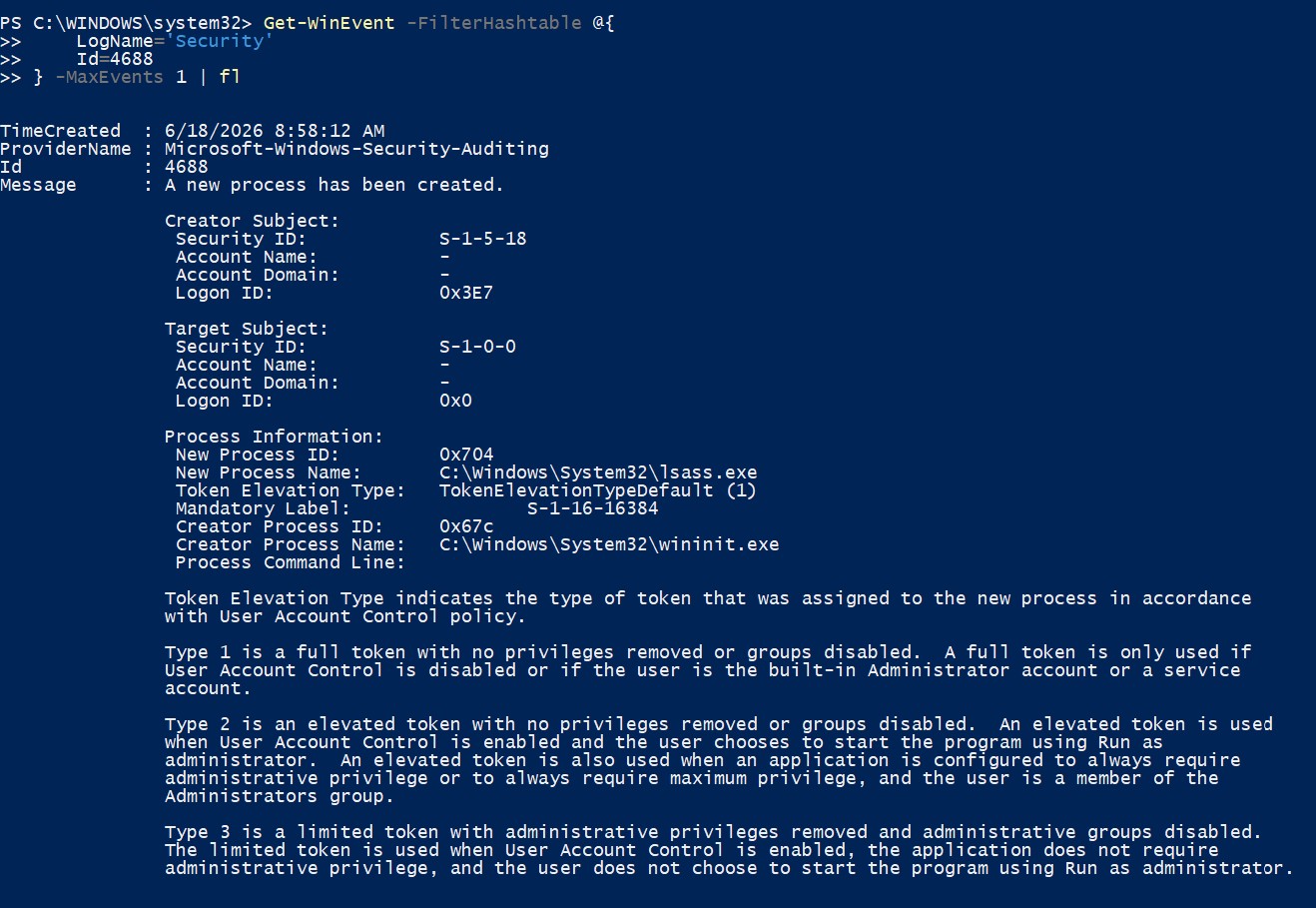
Process telemetry is commonly used during:
- Threat Hunting
- Malware Analysis
- Incident Response
Service Telemetry
Services also generate telemetry.
Examples:
Service Started
Service Stopped
Service Installed
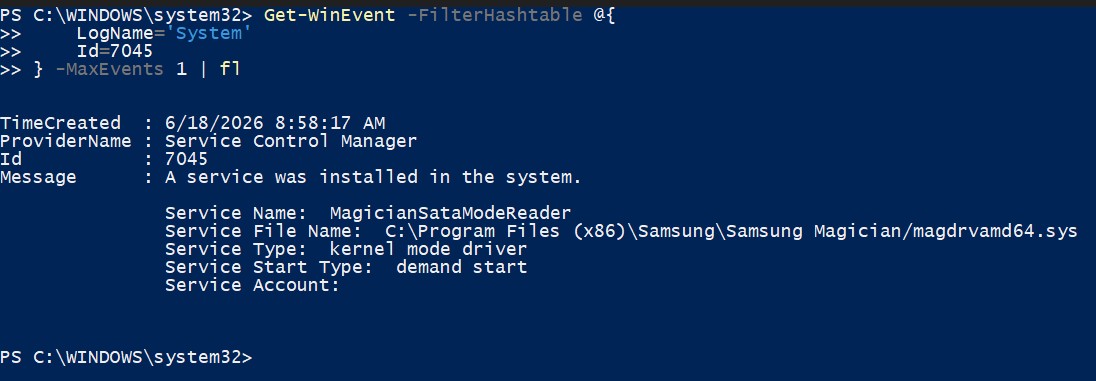
These events are frequently reviewed during investigations.
Authentication Telemetry
Authentication generates significant telemetry.
Examples:
User Logon
Failed Logon
Password Change
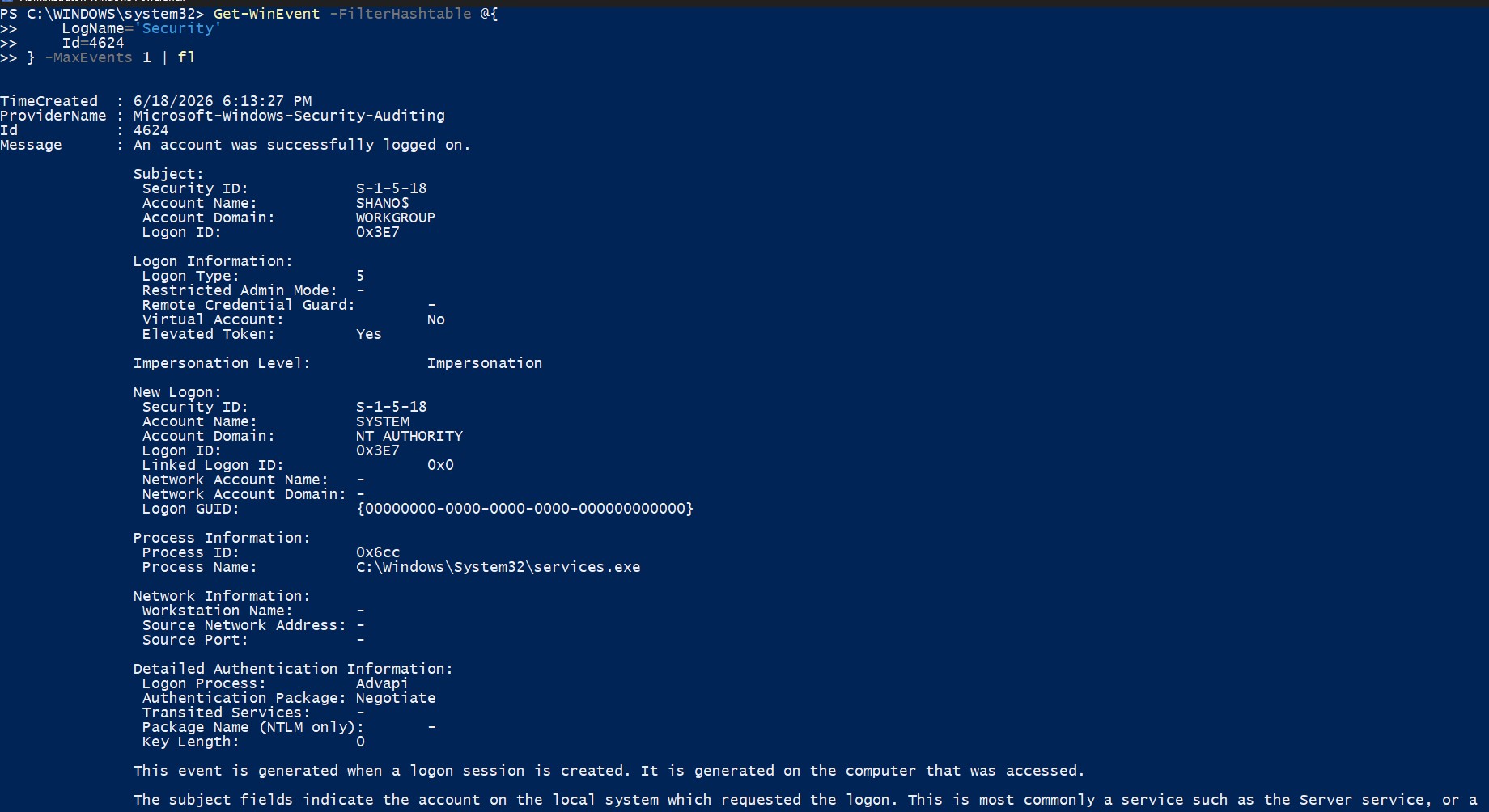
Authentication events are among the most valuable investigative artifacts.
Common Windows Event IDs
| Activity | Event ID | Log | Meaning |
|---|---|---|---|
| Process Created | 4688 | Security | A new process was created |
| Service Installed | 7045 | System | A new service was installed |
| Service Started | 7036 | System | A service entered the running state |
| Successful Logon | 4624 | Security | An account successfully logged on |
| Failed Logon | 4625 | Security | An account failed to log on |
| Logoff | 4634 | Security | An account logged off |
| Explicit Credentials Used | 4648 | Security | A process used explicit credentials |
| User Created | 4720 | Security | A user account was created |
| User Added To Group | 4732 | Security | A member was added to a local group |
| Scheduled Task Created | 4698 | Security | A scheduled task was created |
PowerShell Logging
PowerShell can generate telemetry describing script execution.
Conceptually:
PowerShell Executes
        ↓
Telemetry Generated
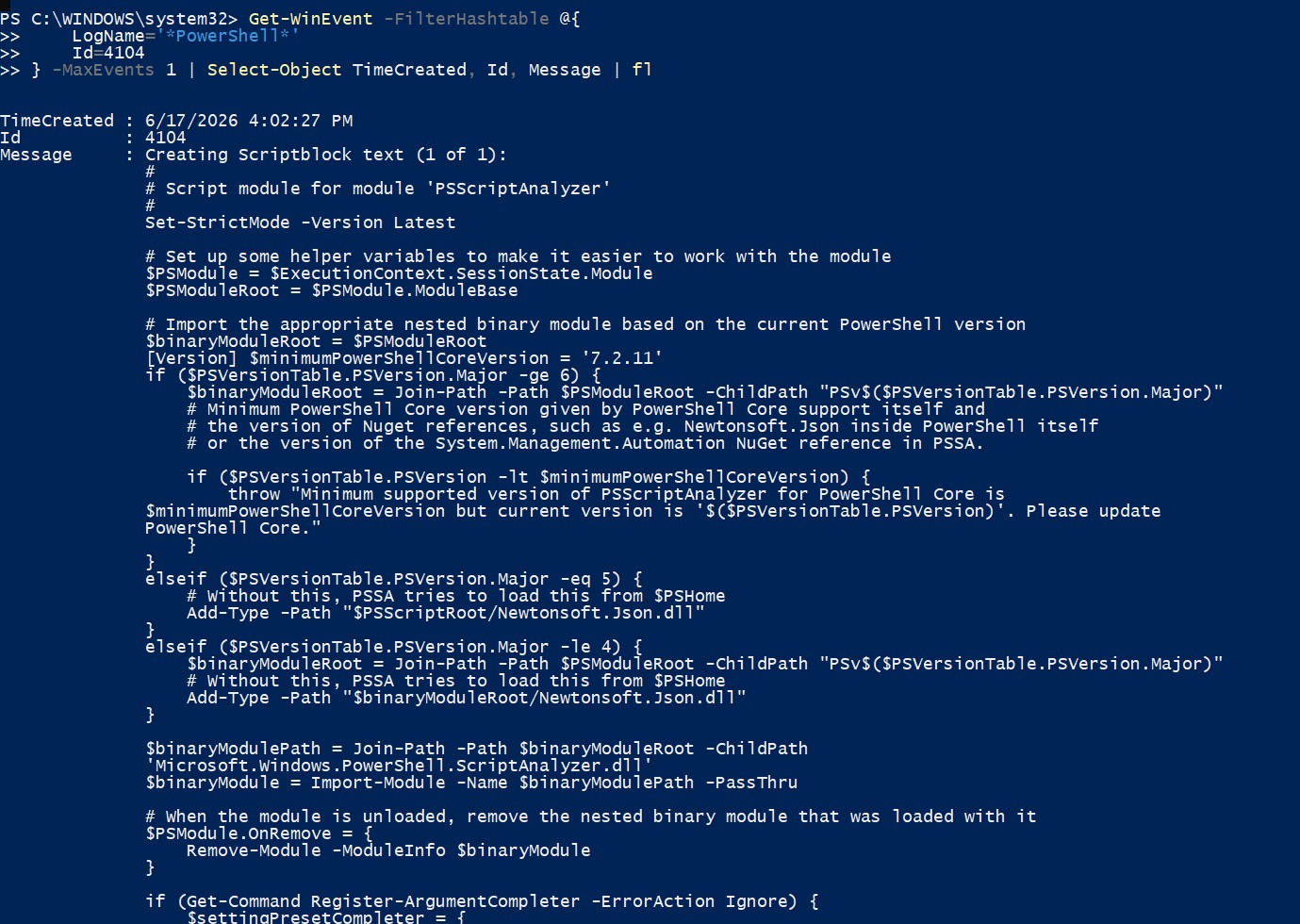
PowerShell telemetry often may contain traces of scripts/commands executed - potentially revealing malicious usage.
Telemetry Retention
Telemetry is not stored forever.
Examples:
Logs Fill
        ↓
Older Entries Removed
Log Cleared
        ↓
Telemetry Lost
Investigators therefore often prioritize telemetry collection early during investigations.
Security Considerations
Questions operators commonly ask include:
- What happened?
- When did it happen?
- Who performed the action?
- What process executed?
- What account was used?
Telemetry frequently provides answers to these questions.
Operator Perspective
When approaching an unfamiliar Windows system, Operators typically ask:
Authentication
- Who logged in?
- Were logon attempts successful?
- Were logon attempts unsuccessful?
Processes
- What executed?
- When did it execute?
- Under which account?
Services
- What services started?
- What services stopped?
Security
- Were accounts created?
- Were privileges assigned?
- Were security settings modified?
Investigation
- What happened?
- When did it happen?
- Who performed the action?
Many investigations begin with telemetry analysis.
Key Takeaways
- Telemetry describes activity occurring on a system.
- Windows commonly stores telemetry in Event Logs.
- Event Viewer is used to examine logs.
- Security logs contain authentication activity.
- Process execution may generate telemetry.
- Services generate telemetry.
- Authentication generates telemetry.
- Event IDs identify specific event types.
- Telemetry is often critical during investigations.
- Understanding telemetry is essential for both offensive and defensive operations.
The next lesson explores Shells and how users interact with Windows through command-line interfaces.